In the digital tapestry of our modern lives, few connectors are as ubiquitous and yet often overlooked as the Universal Serial Bus (USB). From charging our smartphones to transferring colossal files, USB has become the silent workhorse of data and power delivery. While newer, sleeker connectors like USB-C garner much of the spotlight, the foundational USB-A and its utilitarian counterpart, USB-B, have played a pivotal role in shaping the technological landscape we inhabit. This article embarks on a comprehensive journey to explore the evolution of these iconic connectors, delving into their origins, their diverse applications, and the technological leaps that have defined their enduring presence.
The Genesis of Universal Connectivity: Birth of USB-A and USB-B

The story of USB begins in the mid-1990s, a time when connecting peripherals to computers was a tangled mess of serial and parallel ports, each with its own limitations and complexities. The need for a standardized, plug-and-play solution was palpable. Spearheaded by a consortium of tech giants including Intel, Microsoft, and IBM, the USB standard was officially released in 1996 with version 1.0. This groundbreaking initiative aimed to simplify peripheral connections, reduce cable clutter, and enable hot-swapping – the ability to connect and disconnect devices without restarting the computer.
USB-A: The Ubiquitous Rectangular Standard

The USB-A connector, with its distinctive rectangular shape, quickly became the de facto standard for host devices like computers and laptops. Its simple, robust design, coupled with its electrical specifications, made it an ideal candidate for connecting a vast array of peripherals. The early iterations, USB 1.0 and 1.1, offered data transfer speeds of a modest 1.5 Mbps and 12 Mbps, respectively. While these speeds might seem glacial by today’s standards, they were a significant improvement over their predecessors and sufficient for the peripherals of the era, such as keyboards, mice, and early printers.
The physical design of USB-A is characterized by its polarized nature, meaning it can only be inserted in one orientation. This seemingly minor detail was a major step forward in user experience, eliminating the frustration of attempting to insert a connector incorrectly. The four pins within the connector served specific functions:
- VBUS (+5V): Provides power to the connected device.
- D- (Data -): Carries one half of the differential data signal.
- D+ (Data +): Carries the other half of the differential data signal.
- GND (Ground): Serves as the common ground reference.
USB-B: The Workhorse for Peripheral Devices
While USB-A became the face of the host, USB-B emerged as the primary connector for peripheral devices. Its design was slightly more varied, with several sub-types catering to different device needs. The most common USB-B connector, often found on printers and scanners, is a squarish shape with beveled corners. This design, like USB-A, was also polarized to ensure correct insertion.
Other notable USB-B variants included:
- Mini-USB B: A smaller version designed for portable devices like early digital cameras, MP3 players, and some mobile phones.
- Micro-USB B: Even smaller than Mini-USB, Micro-USB became incredibly popular for smartphones, tablets, and countless other small electronic gadgets due to its compact size and durability.
The adoption of USB-B across such a wide range of peripherals was instrumental in driving the USB standard’s success. It offered a consistent and reliable way to connect devices, simplifying setup and reducing the need for specialized cables for each piece of hardware.
The Evolution of Speed and Power: USB 2.0 and Beyond

The true power of USB’s evolution lies in its continuous improvement in speed and power delivery. The release of USB 2.0 in 2000 was a monumental leap forward. It introduced High-Speed USB, capable of transferring data at a blistering 480 Mbps, a 40x increase over USB 1.1. This dramatically improved the usability of storage devices, external hard drives, and faster peripherals like webcams.
USB 2.0-A and 2.0-B: Enhancements for the Digital Age
The physical connectors for USB 2.0 remained largely the same as their USB 1.x counterparts (USB-A and the common USB-B types). The key difference lay in the internal wiring and the protocol’s ability to handle higher speeds. This backward compatibility was a crucial factor in USB’s widespread adoption; older devices could still function with newer ports, albeit at their original speeds, and newer devices could plug into older ports. This seamless transition eased the transition for consumers and manufacturers alike.
The Rise of USB 3.0 and the Dawn of SuperSpeed
The next significant evolution arrived with USB 3.0, introduced in 2008. This iteration brought with it “SuperSpeed” data transfer, boasting a theoretical maximum of 5 Gbps, ten times faster than USB 2.0. This was achieved through the addition of new pins and a different signaling method within the connector. To maintain backward compatibility, USB 3.0 introduced a new color-coding scheme for its ports and connectors, often blue, to distinguish them from USB 2.0 ports.
While USB-A and USB-B connectors themselves didn’t undergo a radical redesign in terms of external shape for USB 3.0, they were expanded internally. The USB 3.0-A connector, for instance, retained the familiar rectangular form factor but incorporated additional pins for the SuperSpeed data transfer. Similarly, the USB 3.0-B connector also featured enhanced internal architecture.
The impact of USB 3.0 was profound, especially for data-intensive applications like video editing, large file transfers, and connecting high-performance external storage. The ability to move gigabytes of data in seconds made previously tedious tasks significantly more efficient.
Case Studies in USB-A and USB-B Dominance
The enduring success of USB-A and USB-B can be attributed to their successful integration into a vast ecosystem of devices. Consider these examples:
- The Computer Peripherals Ecosystem: For decades, every PC and laptop has featured multiple USB-A ports, serving as the primary gateway for keyboards, mice, webcams, and external drives. This standardization eliminated the need for proprietary connectors and made setting up a new computer a remarkably simple process.
- The Printer and Scanner Revolution: The adoption of USB-B by printers and scanners in the late 1990s and early 2000s transformed these devices from complex, often intimidating hardware into user-friendly plug-and-play peripherals. This was a crucial step in bringing digital printing and scanning into homes and small businesses.
- The Mobile Device Explosion: While USB-A was prevalent on chargers and computers, the evolution of Mini-USB and later Micro-USB on devices like early smartphones, MP3 players, and portable gaming consoles demonstrated the adaptability of the USB-B form factor. This allowed for a single charger type to power multiple devices, simplifying power management.
The Slow Fade and the Resurgence of Innovation

As technology advanced, the limitations of USB-A and USB-B, particularly in terms of speed and the inability to be plugged in either way, became more apparent. This led to the development of newer, more capable connectors.
The Arrival of USB-C: A New Era

The introduction of USB Type-C (USB-C) marked a paradigm shift. USB-C is not a speed standard itself but rather a new connector design. It is reversible, meaning it can be plugged in either way, a welcome innovation that USB-A and USB-B users had long desired. More importantly, USB-C is designed to support the latest USB specifications, including USB 3.2 and USB4, which offer vastly superior speeds and power delivery capabilities.
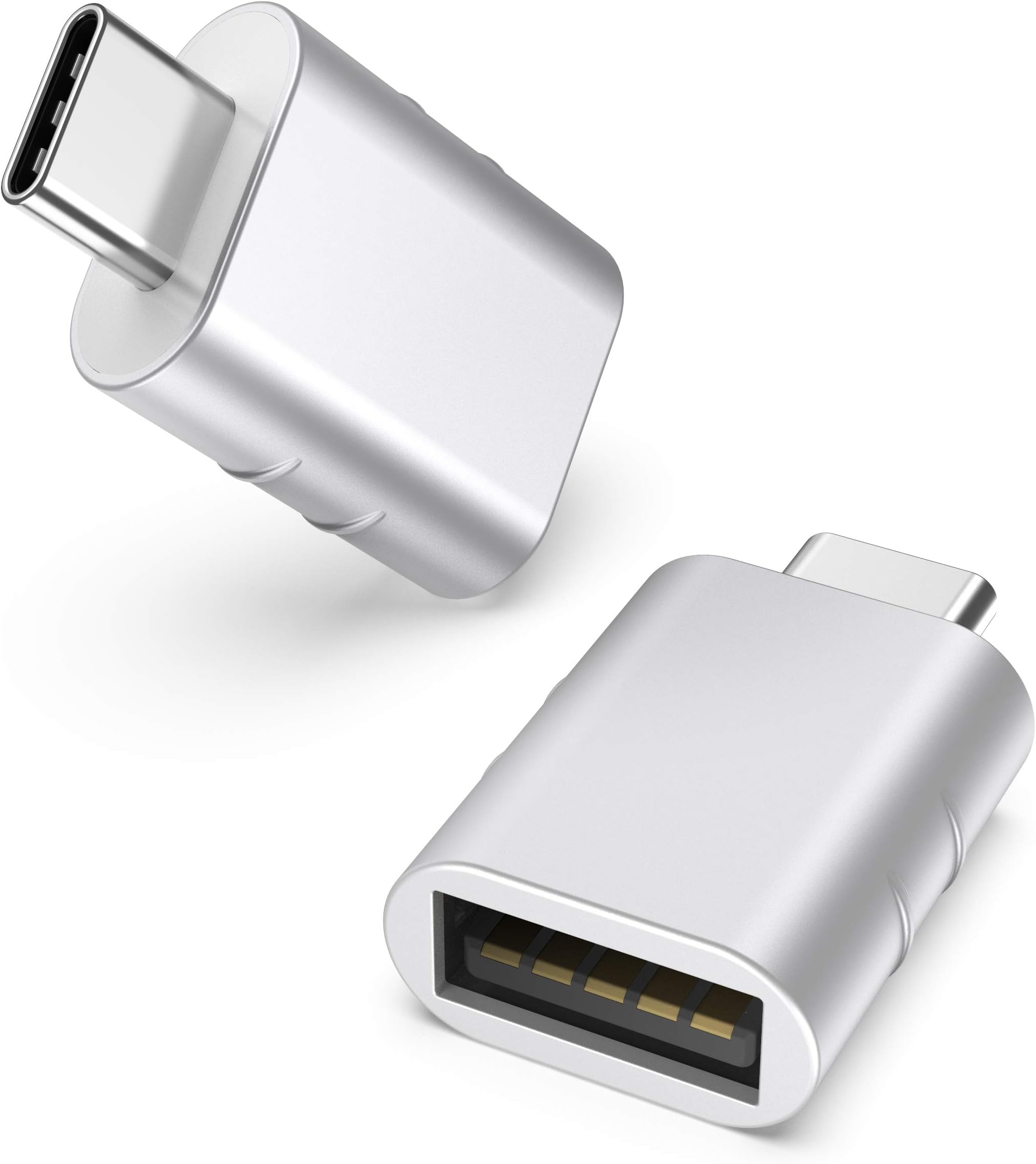
While USB-C is the future, the legacy of USB-A and USB-B remains firmly entrenched. Many devices still utilize these connectors, and adapters are readily available to bridge the gap between older and newer technologies.
The Enduring Relevance of USB-A and USB-B
Despite the rise of USB-C, USB-A and USB-B are far from obsolete. Their widespread presence in existing infrastructure means they will continue to be relevant for years to come. Many older devices, and even some new ones, still rely on these connectors for their functionality. Furthermore, the availability of inexpensive USB-A and USB-B peripherals and the continued support from manufacturers ensure their continued use.
Statistics highlight this continued presence. A significant percentage of laptops still feature USB-A ports, and many budget-friendly peripherals continue to use USB-A for connection and USB-B variants for their own interfaces. While the trend is undoubtedly towards USB-C, the transition is gradual, and the practicality of USB-A and USB-B ensures their longevity in specific applications.
The Enduring Legacy of USB-A and USB-B
The evolution of USB-A and USB-B is a testament to the power of standardization, innovation, and user-centric design. From their humble beginnings as a solution to connect disparate peripherals, they have become the backbone of modern computing and electronics. USB-A, the ubiquitous host connector, has facilitated countless connections to our computers, while USB-B and its variants have served as the reliable interface for an ever-growing array of devices. Their journey from the slow speeds of USB 1.0 to the robust performance of USB 3.0 showcases a relentless pursuit of improvement. While the advent of USB-C signals a new chapter in connectivity, the legacy of USB-A and USB-B is etched into the very fabric of our digital world. They are the unsung heroes that have made our technological lives simpler, more efficient, and undeniably more connected, and their influence will continue to resonate for years to come.